
유니티에 파이어베이스 SDK 추가 시, 간혹 발생되는 "Could not find a working python interpreter" 이슈 해결 방법에 대해서 소개하려고 합니다.
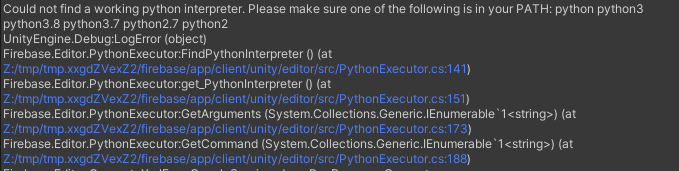
1. 오류 확인
Could not find a working python interpreter. Please make sure one of the following is in your PATH:
python python3 python3.8 python3.7 python2.7 python2
2. 해결 방법
2-1. 비주얼 스튜디오에서 파이썬 interpreter를 추가해주면 됩니다. 아래 링크에서 파이썬을 다운받아줍니다.
https://www.python.org/downloads/
Download Python
The official home of the Python Programming Language
www.python.org
2-2. PATH에 추가하기에 체크하고 다운해줍니다.

2-3. 컴퓨터를 재부팅한 후 프로젝트를 열어보면 해당 오류 메시지가 사라진 것을 확인할 수 있습니다.
'이슈 해결' 카테고리의 다른 글
| [Unity - Build Error] Gradle build failed. See the Console for details. (0) | 2024.11.18 |
|---|---|
| [Issue Resolution - C#] CS1503 : Action 활용 시, Parameter를 lambda로 해결하자! (0) | 2024.06.23 |